
Settings and Privacy
Configure AI, life areas, scheduling, and integrations, and understand how asambl handles your data.
asambl keeps its configuration in one place. Open Settings to manage how AI behaves, which areas you track, when you work best, and which external services you connect.
Settings
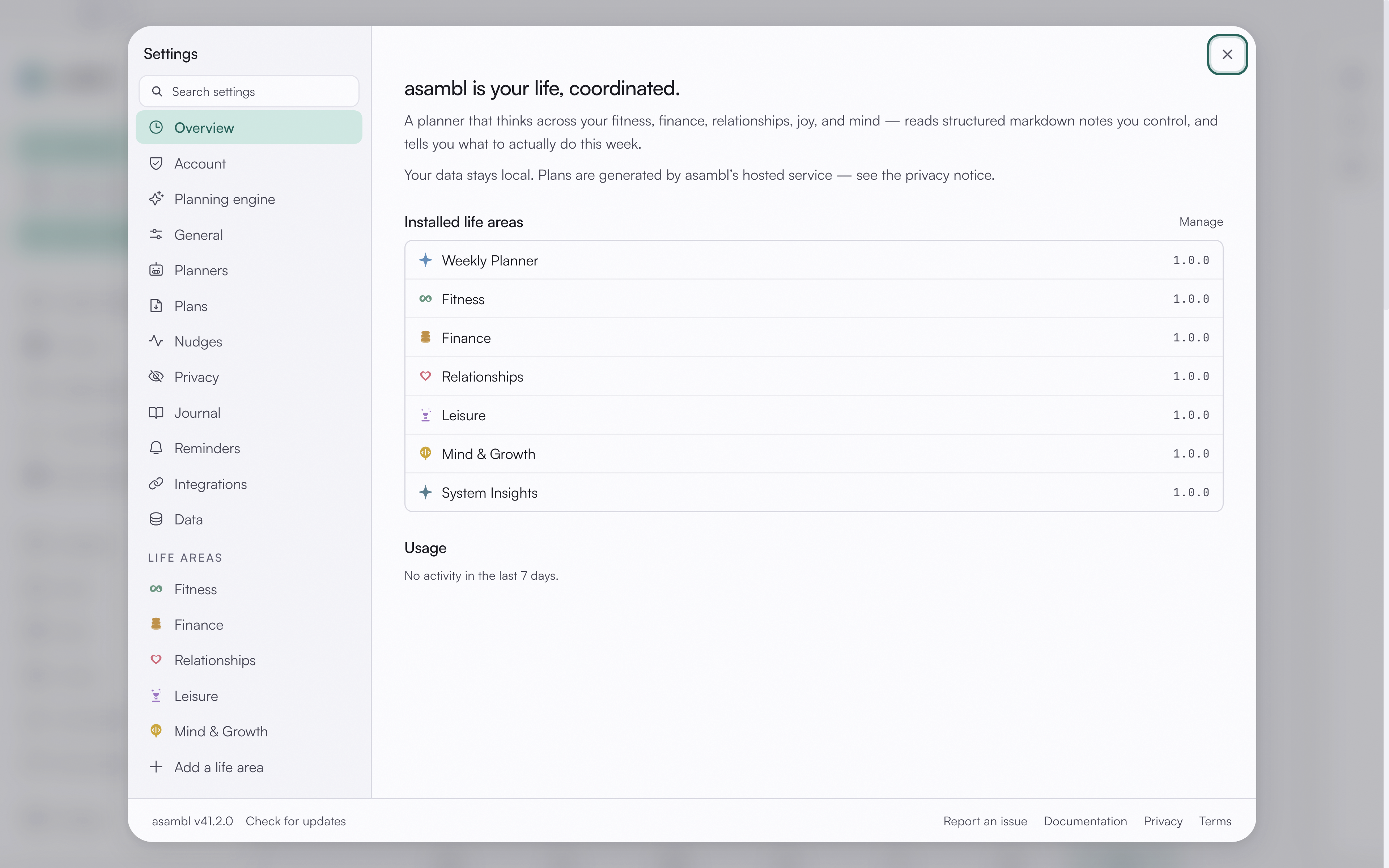
AI
Managed AI is included, so there is no API key to set up. When AI is on, only the prompt for each request goes to asambl's managed endpoint, and your vault stays on your machine. You can turn AI off entirely if you prefer template-only workflows, where asambl builds structure from your inputs without sending anything to the AI endpoint.
Life Areas
Install or remove the areas you track. Add an area when you want asambl to plan around it, and remove one when it is no longer relevant. Your existing notes for an area stay in your vault even after you remove it.
Scheduling
Set your peak-energy times and deep-work preferences so plans account for when you work best. asambl uses these signals to place demanding work in the hours where you are most effective and to protect the blocks you reserve for focused effort.
Integrations
Connect Google Calendar and other services. Once connected, asambl can read and write the calendars you allow, so your plans stay aligned with what is already on your schedule.
Data
Export your data, back up your files, and run maintenance. Because your vault is a folder of plain Markdown files, you can copy it anywhere, and the maintenance tools help keep your index and embeddings in good shape.
Your data and privacy
Your vault stays on your machine. When AI is on, only the prompt for that specific request goes to asambl's managed AI endpoint (hosted on Azure OpenAI), and it is not stored long-term. Semantic search and embeddings run locally on your device.
You can switch AI off entirely. With AI off, asambl works from your templates and structured inputs without contacting the managed endpoint.
Your files are plain Markdown in a folder you control, so you can back them up, version them, or open them in any editor you like. Nothing about the format locks you in.
For the full details, including data handling, retention, and your rights, read the complete privacy policy.