
Weekly planning
How asambl builds your week through a short conversational ritual that ends as real calendar events.
Your weekly plan is not a form to fill out. It is a short conversation, the weekly ritual, that turns a few honest answers into a sequenced week and then into real calendar events. Nothing is locked until you approve it, and you can edit the draft at any point.
Drafting the week needs AI on. With AI off, asambl hands you a blank weekly template to fill in by hand instead.
Start the ritual with Plan your week, or Cmd/Ctrl + N from anywhere.
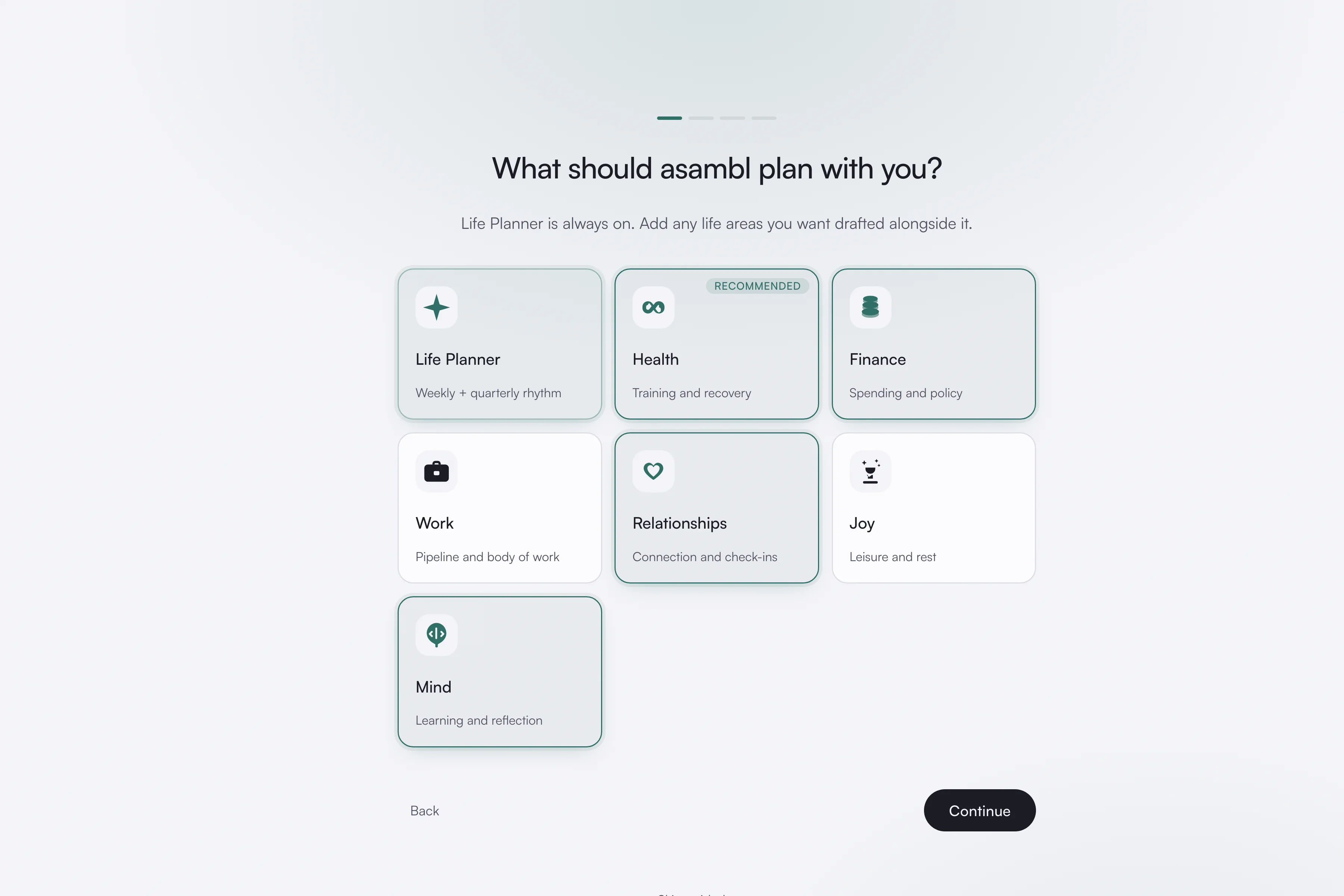
1. Choose the parts of life that matter
At setup, and any time after, you turn on the life areas you want asambl to plan with you. Life Planner is always on, so you always have a place for the week itself. Turn areas on when you are ready for them and off when they are not relevant. The plan only ever covers what you have chosen. See Life areas.
2. Run the week
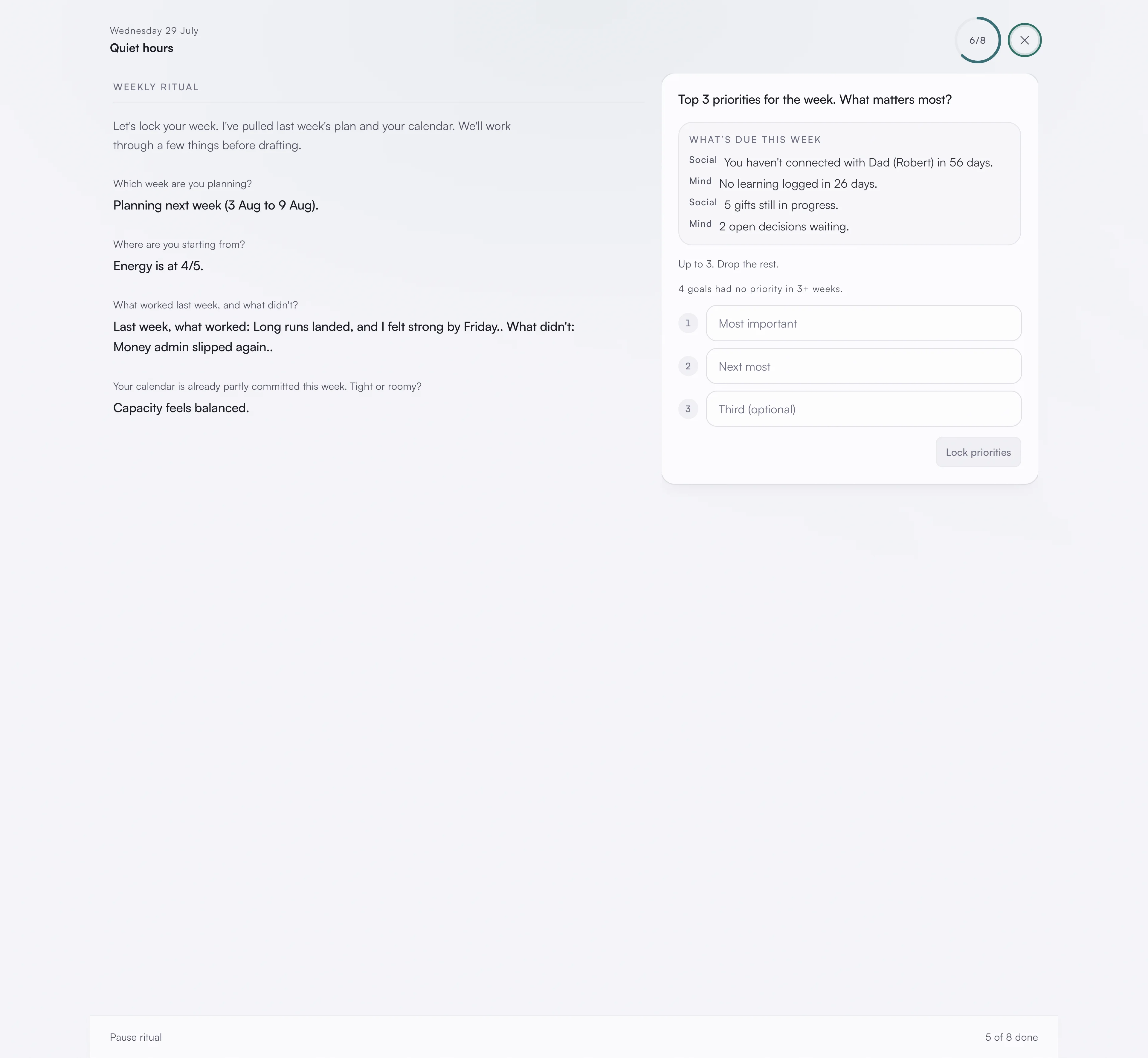
Answer a few quick prompts:
- Which week you are planning
- Your energy going into it
- What worked last week
- Your capacity for the days ahead
- Your top three priorities
These are short answers, not a wizard. They give asambl enough to draft a week that fits the reality you are in rather than an ideal one.
3. Review the draft, area by area
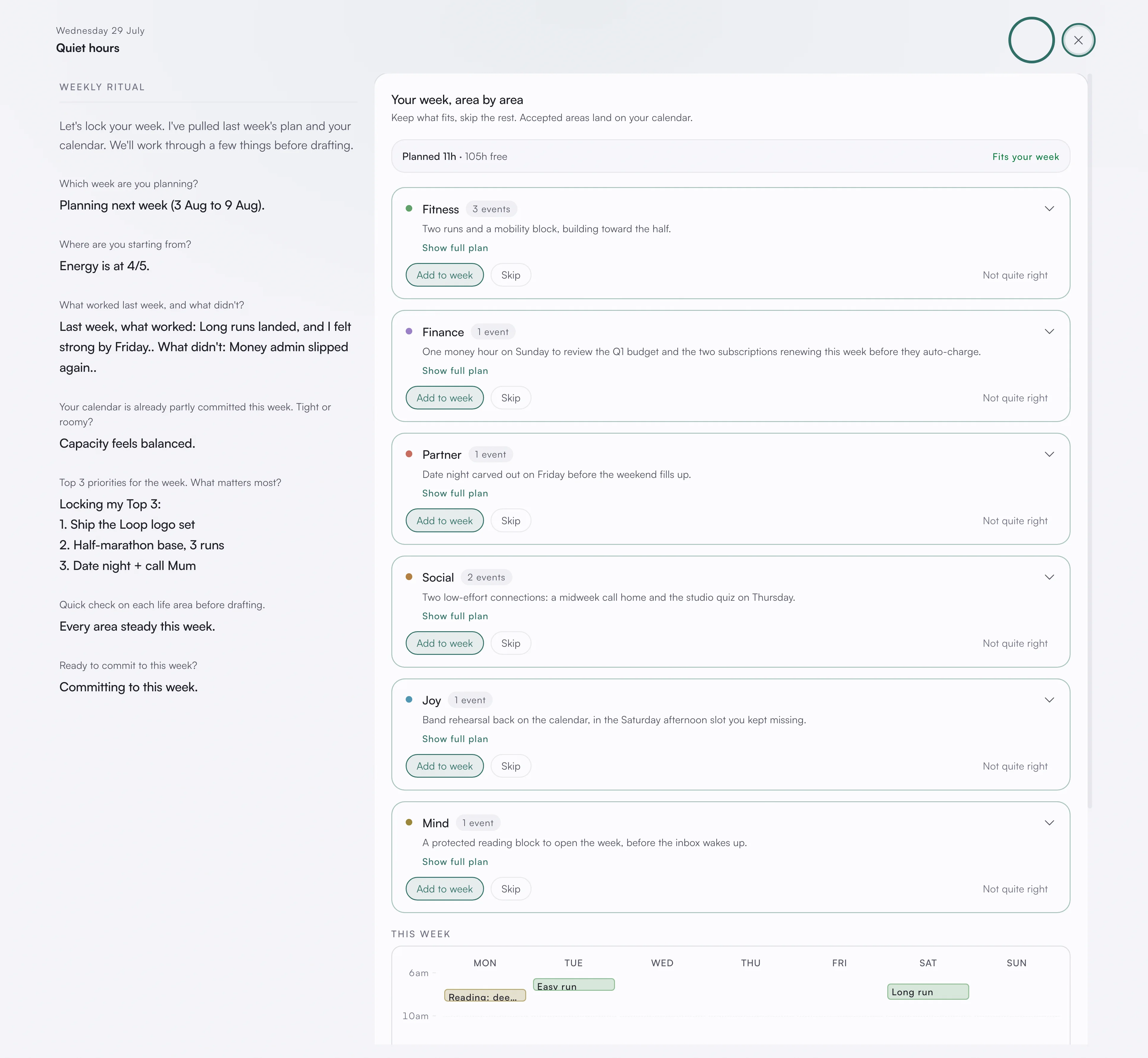
asambl drafts the week and shows it to you as one card per life area. Each card lists its suggested blocks and the reasoning behind them, so you can see why a block is there before you keep it.
Alongside the cards sits a capacity ledger: planned hours, free time left, events you have already committed to that the plan works around, and any clashes it has spotted. The energy level you gave at intake feeds this, so a low-energy week is drafted lighter than a high-energy one.
Your plan also draws on what you have already written. Notes that relate to what is on your calendar that week come up while you plan, so a trip on the calendar surfaces the notes you kept about it without you going to find them.
You accept the areas that fit, amend individual blocks whose timing or shape you want to change, and skip the ones that do not. As you do, the week rebalances live, so the ledger and the remaining blocks update around your decisions.
For what runs behind this single draft, see How planning works.
4. It becomes your calendar
The blocks you accept land on your calendar as proposed events. You review them once more, make any final edits, and accept. At that point they become real events, colour-coded by life area and synced two-way with Google Calendar. See Calendar.
Committing a plan also prompts asambl to point out one thing about its shape, as an observation rather than a verdict. See Plans.
When the week changes
A week rarely survives contact with itself. If your energy shifts midweek, you can say so from the calendar's week view and cascade the new level through the days that remain, and the plan adapts rather than standing there as a rebuke.
You stay in control
Across all four moves, you are the one approving. You can edit the draft, skip whole areas, or rerun the ritual. Weekly plans sit inside a longer quarterly rhythm held by Life Planner; see Goals and values for how the two connect.