
Ask asambl
A conversational assistant built into the app that answers questions about your week, habits, goals, and life-area data, and can act on your answer once you approve it.
Ask asambl is a conversational assistant built into the app. It has access to your plans, check-ins, and life-area data, so its answers are specific to you rather than generic. Use it to think through your week, review your habits, check progress against your goals, or get a quick read on anything the app already knows about.
Opening Ask asambl
Open it from the sidebar, or from the command palette with Cmd/Ctrl + K and
"Go to Ask". Once you are in Ask asambl, Cmd/Ctrl + Shift + N starts a fresh
conversation.
Type a question and asambl answers by retrieving the relevant notes, plans, and check-ins from your files, streaming the reply as it composes it, so you can start reading before it finishes. Because it draws on your own plans and check-ins, you do not have to re-explain your situation each time.
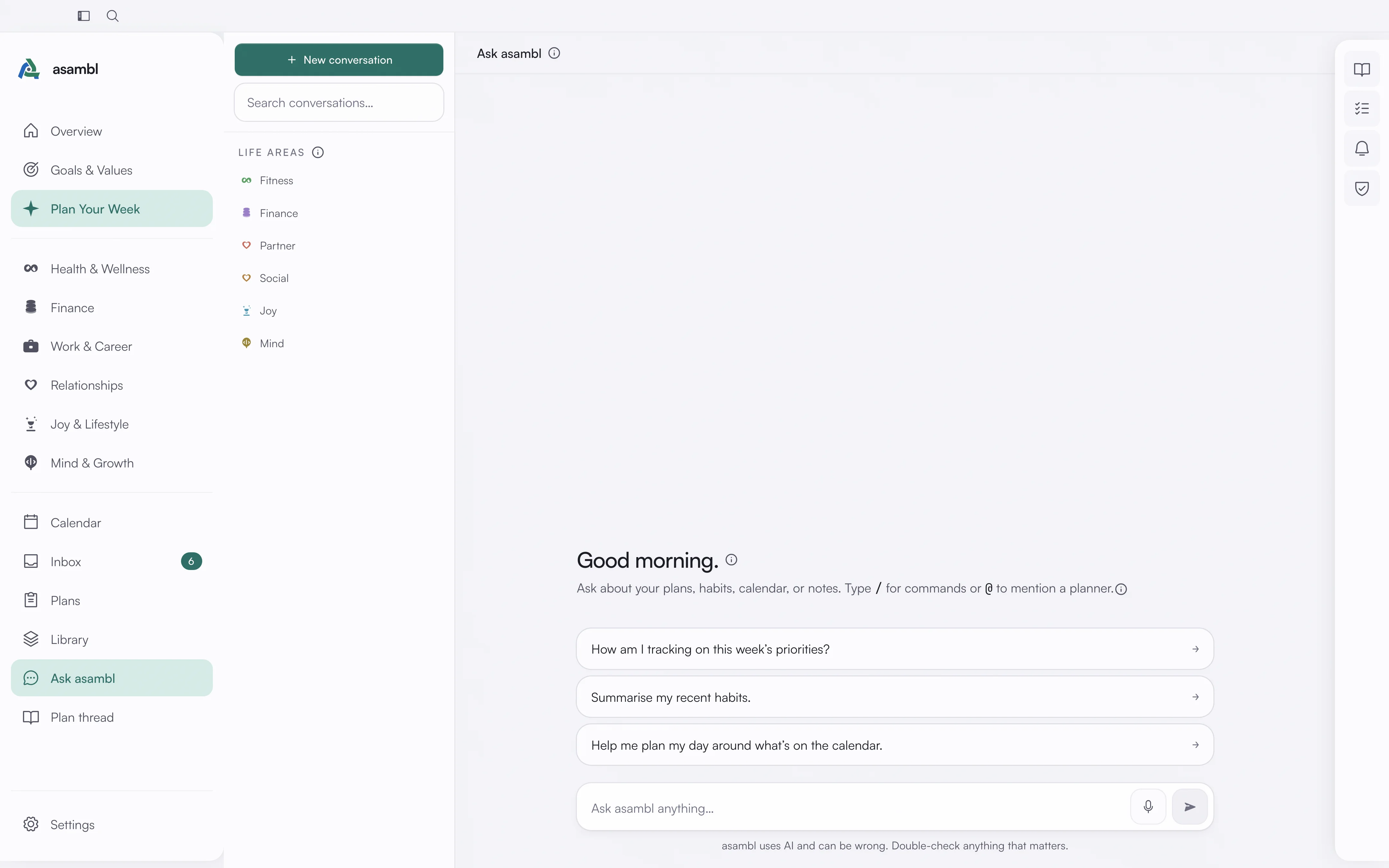
Suggested prompts
asambl suggests prompts to get you started, and the suggestions adapt to two things: the time of day and the life areas you have turned on. In the morning you might see "Plan my day"; in the evening you might see "Reflect on my day". If you have only enabled certain life areas, the suggestions stay relevant to those. You can always ignore the suggestions and ask your own question.
Conversations
You can keep several conversations going at once, so a thread about your fitness goals can stay separate from one about weekly planning. Past threads are searchable, which makes it easy to return to an earlier conversation rather than starting over. You can also open a conversation straight from a plan, so the assistant starts with that plan already in context.
A task you promote from the Tasks panel opens here too, handed to the planner for its life area.
When it wants to do something
Ask asambl can act on what you have discussed, but never on its own. When an answer implies a change, it proposes that change as a card you approve or reject.
It can propose:
- Adding an item to your inbox.
- Appending to one of your files.
- Updating a field in a life-area profile.
- Creating a calendar event.
- Recording a habit check-in.
Nothing is written until you approve the card. This is why you can ask it to "log that" or "put that in my week" without handing over control of your files: the proposal is the gate, the same way the draft is the gate in planning.
What it can answer
Ask asambl answers questions grounded in the data the app holds:
- Your week: what is coming up, what you planned, where things stand.
- Your habits and check-ins: how consistent you have been, what you have logged.
- Your goals: progress, and what a given goal needs next.
- Your life areas: anything tied to the areas you have turned on.
The more you capture in the app, the more specific its answers become.
Privacy
Your conversation history is saved locally, not on the endpoint. A journal entry you have locked is never read by Ask asambl. Semantic search and embeddings run locally on your device, so finding and retrieving your own data does not depend on the cloud.
If you prefer not to use AI at all, you can switch it off entirely. With AI off, Ask asambl cannot generate responses, but your local data and search remain available. See Settings.